All clients
Every client. One place.
Every client’s documents, details, and status in one place. No more logging into multiple systems to see the full picture.
Free trial. No credit card required.
Know where every return stands.
One list for the whole firm. Each row shows who owns the client, where their documents are, and the next thing to do.
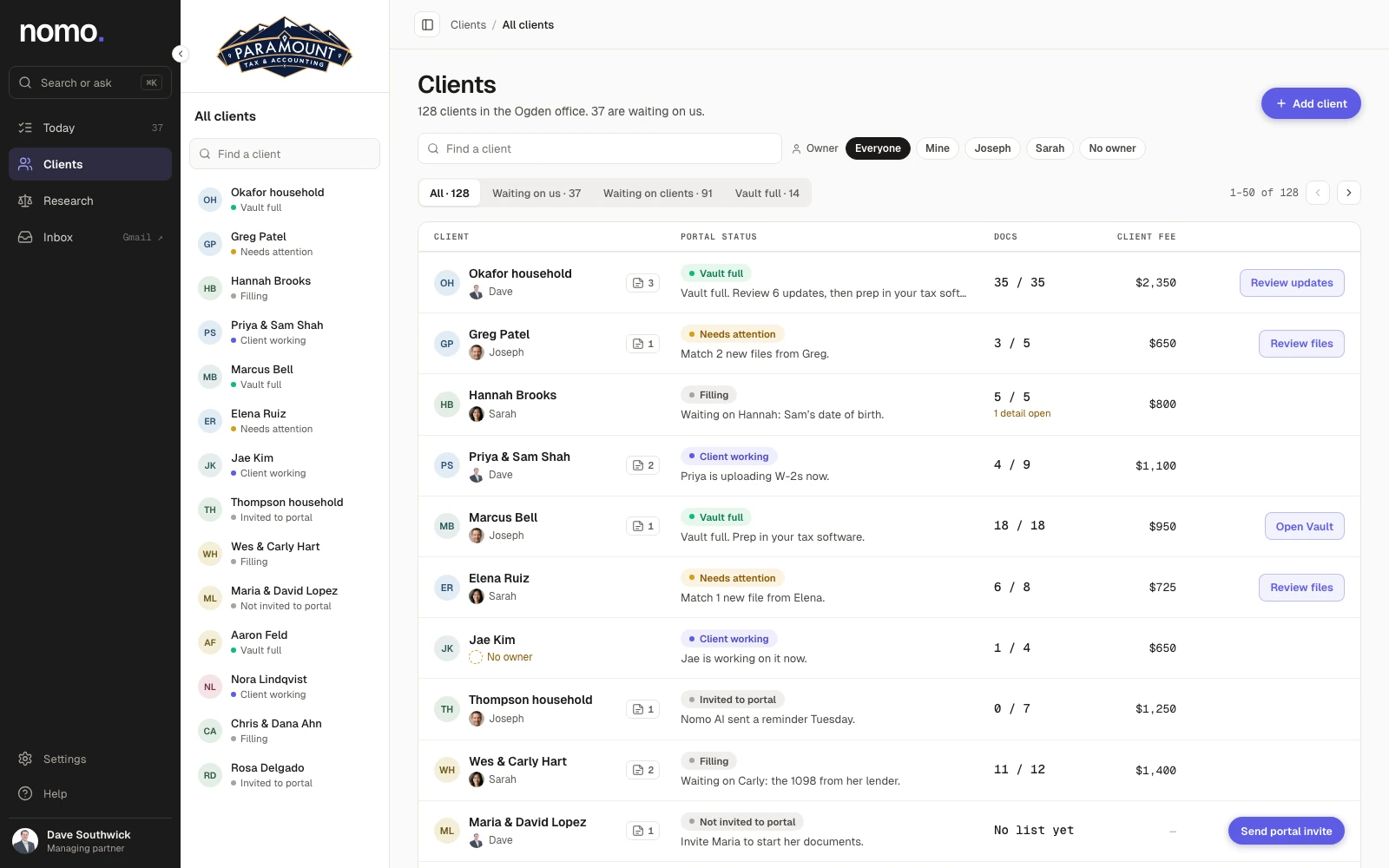
- PORTAL STATUS
Status at a glance.
Vault full, needs attention, client working. The color tells you where to look first.
- NEXT STEP
The next move, on every row.
Match two new files. Send a portal invite. Review updates. One click takes you there.
- OWNER
Who owns each client.
Filter by person, see your own list, or find clients nobody has picked up yet.
Built for a whole firm.
The list your whole team works from during tax season. Everyone sees the same status, so nobody has to ask.
- Views for Waiting on us, Waiting on clients and Vault full.
- Filter by owner: everyone, just you, or a teammate.
- Works alongside your existing tax software.
Questions
Can my whole team use it?
Yes. Anyone at your firm can own a client, and each person can filter the list down to their own.
Does it replace my tax software?
No. Nomo AI gathers and organizes everything before prep. You still prepare and file in the software you use today.
How do I add clients?
Click Add client, then send a portal invite. Nomo AI sends it from your email, using a template you’ve approved.
Is it secure?
Client documents are encrypted with AES-256 at rest and TLS in transit, on US servers.
How Nomo AI protects client dataSee every client in one place.
 Continue with Google
 Continue with Microsoft
Free trial. No credit card required.
Questions, or want to see it first? Talk to a human.